Free for tint, PPF and wrap shops
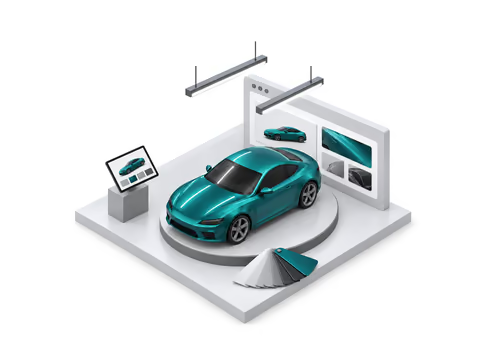
A free 3D visualizer for your shop’s website
Your customers try 1,338 real films and tint on a 3D car, then send you the exact build. You paste one line on your website. It’s free.
Available now Works on any website where you can add a line of HTML.
For your customers
They design the car before they call you
The same 3D visualizer that runs on WrapColor, with your shop’s name on it and only the films you install.
1,338 real films
Wrap and color PPF from 13 brands, among them 3M 2080, Avery Dennison SW900, ORACAL 970RA and KPMF VWS IV, each with its name and code. You pick which brands your visualizer shows.
9 vehicles in 3D
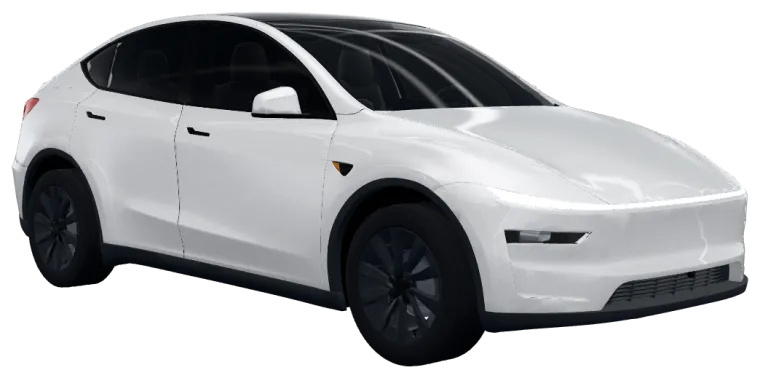
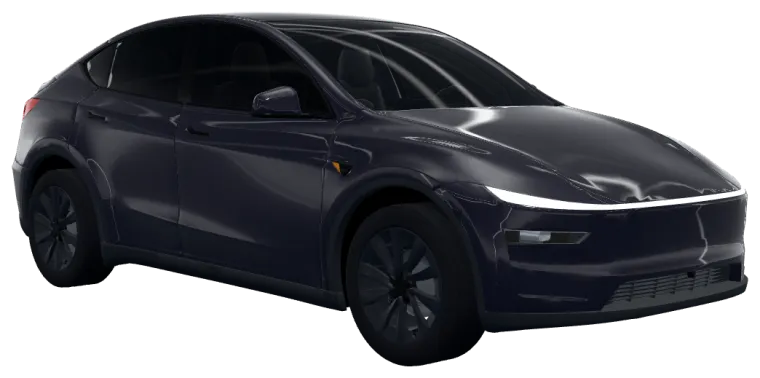
Tesla Cybertruck, Tesla Model Y, BMW M2, BMW M3, BMW M4, BMW M3 (F80) and BMW M5 (F90), plus a pontoon boat and a 4-seat golf cart.
Tint on each window
On the cars and truck, customers tint the front doors, rear doors, rear window and windshield, plus the glass roof where there is one, separately, from 70% down to 5%.
A photo of their own car
Or they upload a photo of their own car and try a color on it, right in the page.
For your shop
Every lead arrives with the build
When a customer asks for a quote, the request comes to you, and only to you.



Leads with the customer’s exact build
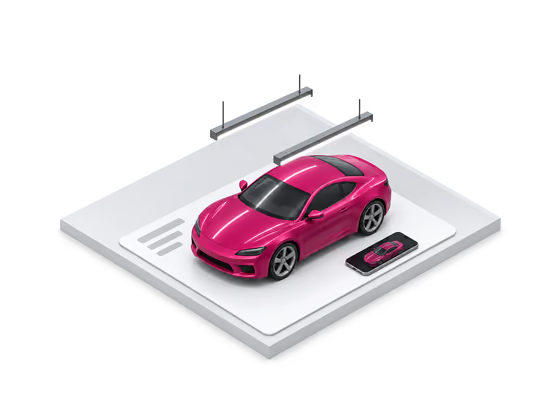
Available nowEach quote request comes to your email and your dashboard with the film on each part, a link to the build and the estimate the customer saw.
CSV export
Available nowDownload your leads as a spreadsheet whenever you like. They’re yours.
Your branding
Available nowYour logo and accent color, the film brands you install, and the vehicle it opens on.
Shows only on your websites
Available nowIt loads only on the website addresses you list, so no other site can show your visualizer.
A picture of the build on each lead
Available nowA render of the customer’s car in the film they picked, in the lead email and in your list.


Install
One line on your website
Your dashboard gives you this code with your shop’s name in it. The last line, a small “Visualizer by WrapColor” link, is optional.


Create your free account
Your shop’s name, email, city and state. We email you a sign-in link: no password, no card. After that, Google works too.
Copy your code
On your dashboard, under “Put the visualizer on your website”, copy the Script code (recommended), or the Iframe code for site builders that only take an iframe.
Paste it where the visualizer should go
It fills the width of that spot and is 720 pixels tall. With the script, add data-height="900" for another height.
List your website
Under Websites on your dashboard, add the address of each site that shows it. It shows only there.
<script src="https://wrapcolor.com/embed.js" data-shop="your-shop" async></script>
<a href="https://wrapcolor.com/?utm_source=embed&utm_medium=snippet_link&utm_campaign=your-shop" style="display:block;margin:6px 0 0;font-size:12px;line-height:1.4;text-align:right">Visualizer by WrapColor</a>Replace your-shop with your shop’s name from the dashboard, or copy the code from there.
WordPressUnconfirmed
In the block editor, add a Custom HTML block where the visualizer should go, paste the code, and update the page. If your plan strips scripts, use the Iframe code. We wrote these steps from WordPress’s own guide and haven’t tried them on a real WordPress site yet. If yours looks different, tell us.
WixUnconfirmed
Use Wix’s Embed a site element, not pasted code: Add Elements, then Embed Code, then Embed a site. Click Enter Website Address and paste your visualizer’s address (the https://wrapcolor.com/embed/… link in your Iframe code), then make the element full width and about 720 pixels tall. Publish, and list the address your site is published on (your own domain, or your wixsite.com address) under Websites on your dashboard. We wrote these steps from Wix’s own guide and haven’t tried them on a real Wix site yet. If yours looks different, tell us.
Squarespace
Edit the page, add a Code block where the visualizer should go, paste the code, and save.
Shopify
In the theme editor, add a Custom Liquid section to the page, paste the code into it, and save.
Anything else
Paste the code into the page’s HTML, or into your builder’s HTML or embed block. If it only takes an iframe, use the Iframe code.
Live example
Try it as your customers will
This is Peel’s sample shop, Sample Tint Shop. Build a car and send the quote form: nothing you enter here is sent.
Questions about the visualizer
Is it really free?
Yes. The visualizer account is free, with no card. Peel itself isn’t for sale yet, so there’s no price to show.
Who owns the leads?
You do. A request from your visualizer goes only to your shop, by email and on your dashboard. WrapColor never passes it to another shop. Download your leads as a spreadsheet any time.
What happens to my customers’ details?
A request holds what the customer typed (first name, ZIP, email or phone, any notes) and their build. The request is kept for 12 months and then deleted; the customer and job it adds to your pipeline stay until you delete them. You can delete your shop and everything in it from the dashboard at any time. The privacy page has the details.
Which film brands are in it?
1,338 wrap and color PPF films from 3M 2080, Avery Dennison SW900, ORACAL 970RA, KPMF VWS IV, HEXIS SKINTAC, Inozetek, TeckWrap, XPEL COLOR PPF, STEK DYNO PPF, Avery Dennison PrismaPro PPF, 3M Protection Wrap Film, TMaxx PPF and PURE PPF. You choose which of these brands your visualizer shows.
Which vehicles can customers build?
Tesla Cybertruck, Tesla Model Y, BMW M2, BMW M3, BMW M4, BMW M3 (F80) and BMW M5 (F90), a pontoon boat and a 4-seat golf cart, or a photo of their own car. You choose the one it opens on.
Will it slow my website down?
The script is one small file, and it loads the visualizer only when a visitor scrolls near it.
Does it work with my website builder?
If you can add a line of HTML to a page, yes. The install steps cover WordPress, Wix, Squarespace and Shopify.
Put the visualizer on your website today
It’s free, and it’s the first part of Peel, WrapColor’s software for tint, PPF and wrap shops.
Want to see the rest of Peel? Try the demo on a sample shop.